




Are you stuck while making a quiz session for tomorrow’s class, or lacking the potential to manage your classroom? Not anymore because here is the solution!
I’ve been teaching for 14+ years, and to be honest, technology has made several tasks, like lesson planning, classroom management, and more, easy.
Today, I’m going to list the best educational apps for teachers that have benefited me in my career so far.
Top Educational Apps for Teachers – 10 Free Picks
These free educational apps are for both Android and iPhone users. I am sure that these apps will help them in every task.
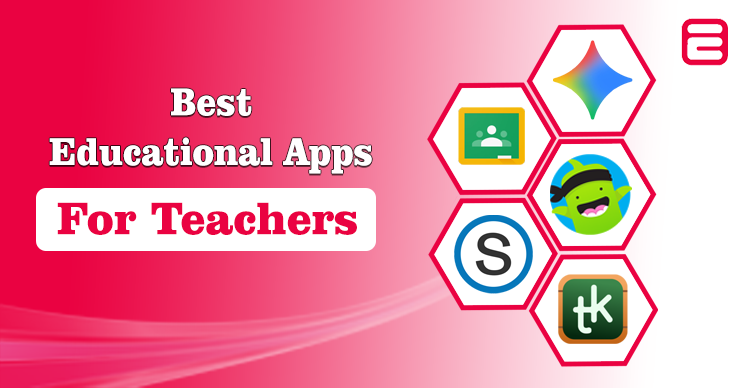
I’ve kick-started the list with Google Classroom because it has become the go-to platform for teachers like me. You can manage classes digitally without the steep learning curve of a full Learning Management System (LMS).
Its biggest strength lies in simplicity and integration that allow teachers to create assignments, collect submissions, and grade work seamlessly. Further, students are absolutely free to access everything from one dashboard that their teacher has made.
It’s connected directly with Google Docs, Drive, Meet, and Gmail, which helps teachers to eliminate the change for multiple tools. Further, it does have limitations. It works best within the Google ecosystem, which means you will face a less smooth experience if you rely on Microsoft or Apple platforms.
My colleague has also worked on Google Workspace for Education, which you can read for further details.

Schoology is a full-featured LMS designed to give teachers more control over instruction, collaboration, and student assessment. Unlike lighter tools, it combines classroom management with a stronger course-building platform that makes it a strong choice for online schools.
This application allows teachers to design courses, create assessments, organize resources, and communicate with students and parents. Moreover, teachers can share lesson plans, join professional learning communities, and integrate third-party apps like Google Drive, Microsoft OneDrive, and Zoom.

Gemini for Education is Google’s new AI-powered suite designed to make teaching and learning more personalized and efficient. Unlike traditional classroom apps, Gemini integrates directly with Google Workspace for Education tools like Docs, Forms, Slides, and Classroom.
Furthermore, it allows teachers to generate quizzes, lesson outlines, study guides, and even multimedia explanations with just a prompt. It’s essentially an AI teaching assistant built into the tools teachers already use to make their teaching process easier.

ClassDojo is one of the most popular classroom apps for building a positive learning environment. Unlike traditional management tools, it focuses on student engagement and community building rather than just assignments.
You can award points for positive behaviors, share class updates, and post photos or videos to keep parents connected. This makes ClassDojo not just a teacher tool, but a connector between students, teachers, and families to give them hope.

TeacherKit is a classroom management app that is designed to make a teacher’s day-to-day workflow more organized and less stressful. Unlike larger LMS, this app focuses on the core essentials: attendance tracking, grading, seating charts, and student behavior notes.
Its clean, user-friendly design makes it appealing for teachers who want structure without feeling overwhelmed by unnecessary features. Teachers can quickly create student profiles, log performance notes, and export reports for parents or administrators to track their progress easily.

Assemblr EDU takes classroom learning beyond the traditional textbook by bringing Augmented Reality (AR) and 3D content to teachers and students. With this app, educators can create or access ready-made 3D lessons that students can explore using their phones, tablets, or even VR headsets.
From visualizing the solar system to interacting with geometric shapes, it makes abstract concepts much easier to grasp. Teachers benefit from its ready-to-use templates and content library that saves time while adding a wow factor to their lessons.

Do you want to make interactive quizzes for your classroom? Try Quizizz is now Wayground. It is one of the popular gamified learning platforms that makes quizzes and assessments feel like a game instead of a test. This app allows you to create custom quizzes or pick from a massive library of pre-made ones.
In addition, students can join the assessment instantly with a simple code provided by you; it’s a simple process. What sets it apart is its competitive format: leaderboards, memes, and power-ups keep students engaged while still focusing on learning.

Thinglink is a powerful tool that allows teachers to transform static images, videos, and 360° media into interactive learning experiences. Instead of just showing a picture or video, you can embed hotspots with text, audio, video clips, or links to turn visuals into immersive teaching tools.
This makes it especially effective for visual learners and subjects that benefit from real-world context, like history, geography, and science.

Pear Assessment is designed to help teachers bring more meaningful change into the classroom. Unlike traditional multiple-choice testing apps, it focuses on peer review and formative assessment, which allows students to give structured feedback.
This not only saves teachers valuable time but also develops critical thinking, self-reflection, and collaboration skills among students. It offers real-time insights into student performance that make it easier for teachers to identify students’ learning gaps for support.
This can be used on multiple devices through the WEBSITE.

Lastly, Nearpod is a powerful teaching app designed to make lessons more interactive, engaging, and student-focused. Unlike traditional slide decks, it lets teachers add quizzes, polls, videos, VR experiences, and collaborative boards into lessons.
Students can join the assessment from any device, which makes it perfect for both in-class and remote learning. Its ability to boost participation and real-time feedback allows students to follow instructions on the spot.

What App Should You Choose
Being a teacher, I know my fellow professionals may juggle lesson planning, grading, attendance, parent communication, and keeping students engaged.
They have to do all these tasks while managing time pressures and diverse learning needs for students who need extra attention.
That’s where classroom apps become essential: they save time, simplify organization, improve communication, and make lessons more interactive.
If you’re looking for an all-in-one solution to these pain points, Google Classroom stands out. It streamlines assignments, automates grading, integrates with Google tools, and keeps teachers, students, and parents connected in one platform.
You Can Also Consider
While the top classroom apps cover most teacher needs, there are a few more tools worth exploring for extra creativity:
- Canva for Education: Create eye-catching lesson slides, worksheets, infographics, and certificates with thousands of free templates.
- Prodigy: A game-based math platform that turns practice into an adventure that helps students stay motivated while giving teachers detailed progress reports.
- Socrative Teacher: A quick-response assessment app that lets teachers implement quizzes, polls, and exit tickets in real-time.
These apps aren’t just add-ons; they can boost creativity, track progress, and make learning fun. Although there are some apps for students to help them in learning.
People Also Ask
Teachers use apps like Google Classroom, Nearpod, Schoology, Quizizz, and ClassDojo for lessons, assessments, and classroom management.
Google Classroom is free for teachers, and ClassDojo and Quizizz also offer strong free versions.
Yes, but it’s also for teachers and parents, making it a full classroom communication and engagement tool.
Apps make learning interactive, organized, and engaging, while saving teachers time and boosting student participation.